Worried about screen time?
Screen time that sparks something real.
They're on a screen anyway. Let them learn how the real world works: why a torch lights, how a doorbell rings, how a radio pulls voices out of thin air. Know-how that still works when the Wi-Fi doesn't.
Free to try · one purchase, no subscription · no ads, ever
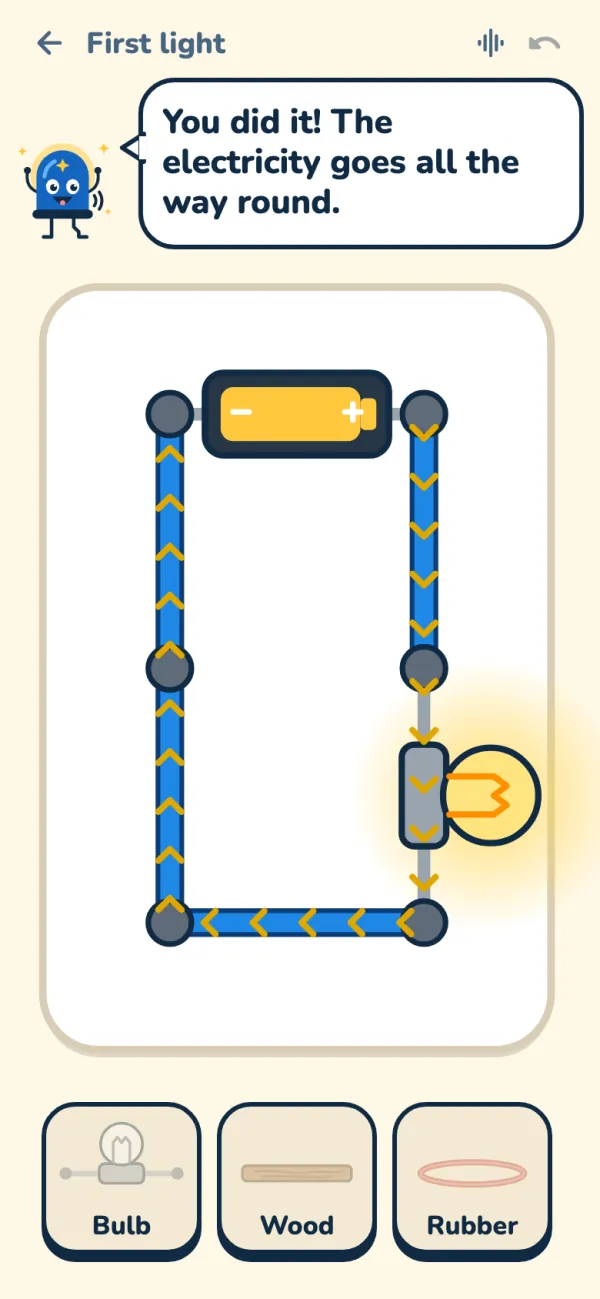
It glows! The loop is closed.
- No ads
- No accounts
- No tracking
- Works offline
- One purchase, no subscription
- English & Deutsch
From a first spark to your own radio
Three paths that grow with your child. Every picture is the real app: a circuit simulator works out what each part does, live.
-
Explorer · ages 6–8
A first bulb glows
Big snap-in pieces, a battery and a switch. Make a bulb glow, a fan spin and a doorbell ring, and find out which things let electricity through.
- First light
- Doorbell
- Spinning fan
- Conductor tester
-
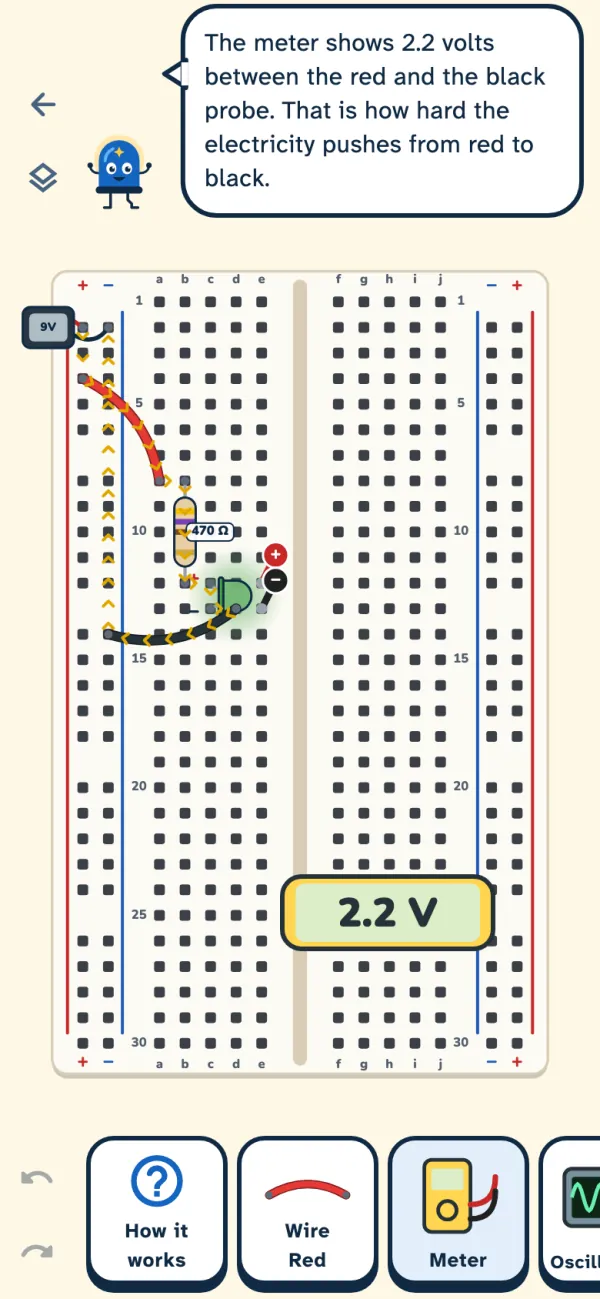
Engineer · ages 9–12
A real breadboard
Protect an LED, build a traffic light, an alarm and a blinker with a 555 chip, and measure volts, ohms and milliamps with the meter.
- Protect the LED
- Traffic light
- Burglar alarm
- Blinking LED
-
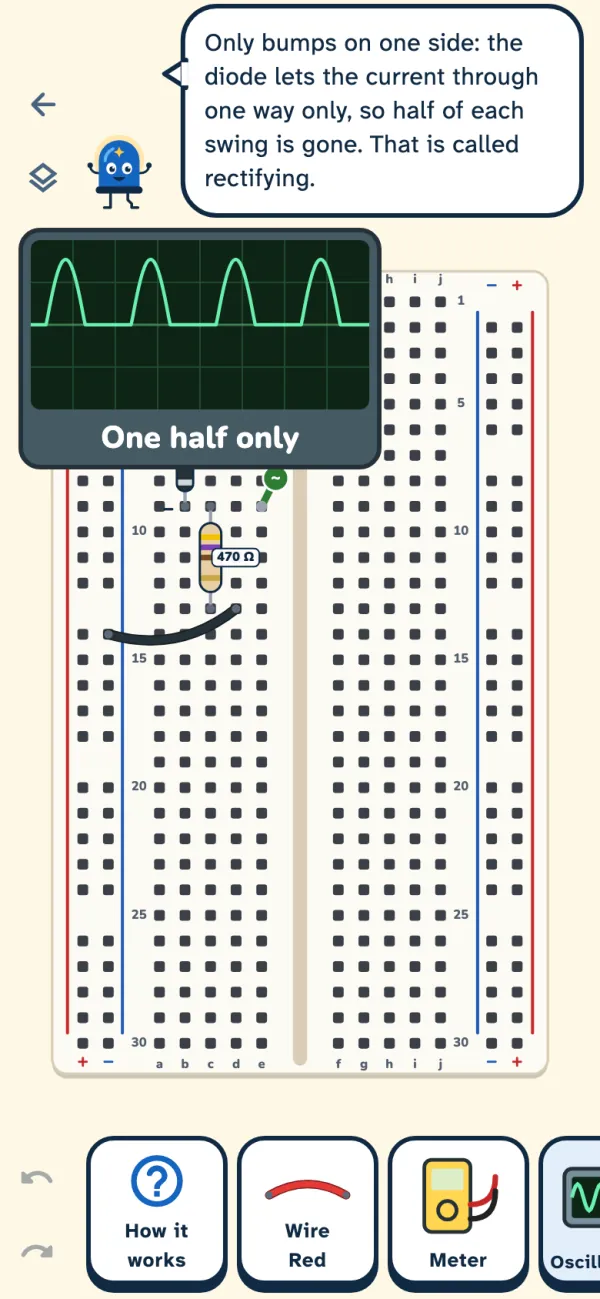
Master · ages 13+
Your own radio
An electromagnet, alternating current on the oscilloscope, a diode rectifier, then a crystal radio, an FM radio and a Morse transmitter.
- Electromagnet
- Diode rectifier
- Crystal radio
- FM radio
Gadgets change. How electricity works doesn't.
Skills for real life, learned by building: what is inside the things we use every day, and why they work.
-
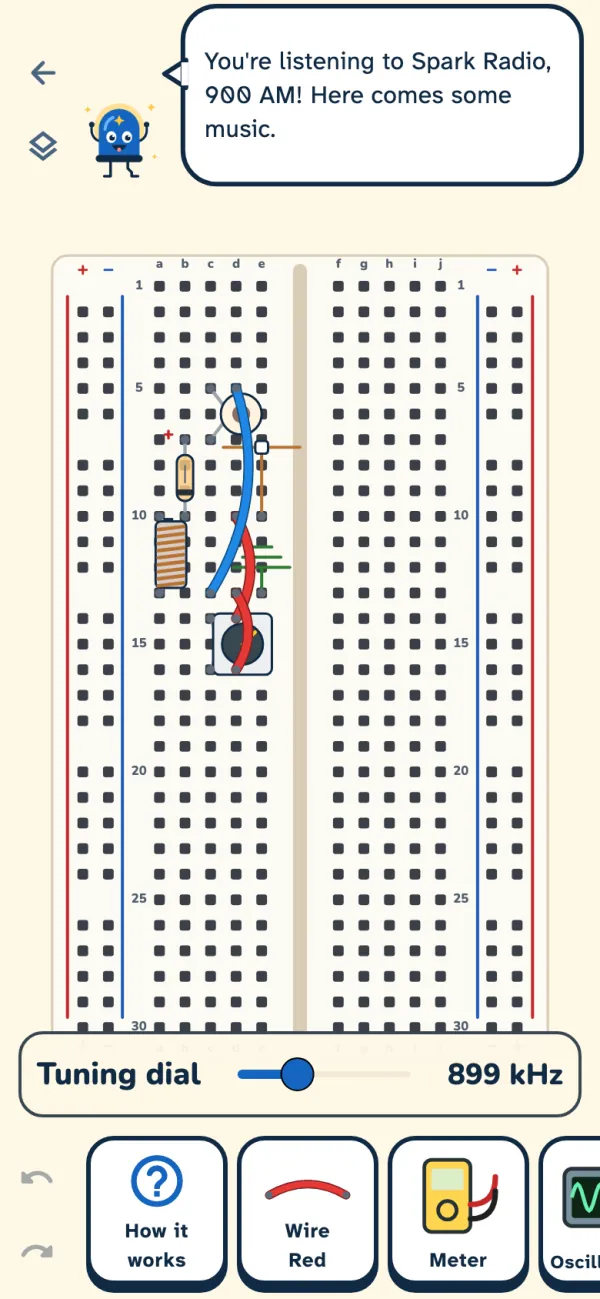
Master path
A radio with no battery
The crystal radio runs on nothing but the radio waves themselves. When everything else is down, this still works, and your child knows why.
- 0
Wi-Fi needed. The whole lab works offline, on the bus or in a power cut.
- 33
real-life lessons, from a first bulb to Morse code.
Safe hands for real life
Why a shorted battery gets hot and how careful builders stay safe: habits that last, learned without a single spark of danger.
Fix it, don't just use it
Switches, bulbs, buzzers, LEDs, motors: they'll know what's inside.
English & Deutsch
Read aloud by Volty, in both languages.
33 lessons, one big journey
Every lesson goes Meet it → Try it → Challenge. Challenges are checked by what the circuit does, not by where the parts sit, so every idea that works counts.
ExplorerAges 6–8
- First light
- Broken loop
- On and off
- Doorbell
- Spinning fan
- Reverse spin
- Two bulbs in a row
- Two bulbs side by side
- Night light
- Conductor tester
EngineerAges 9–12
- Breadboard basics
- Protect the LED
- Dimmer
- Traffic light
- Two-way stair light
- AND gate
- OR gate
- Burglar alarm
- Automatic night light
- Fading LED
- Voltage divider
- Transistor switch
- Blinking LED
- Rain alarm
- Motor speed control
MasterAges 13+
- Electromagnet
- LC circuit
- Diode rectifier
- Crystal radio
- Amplified crystal radio
- AM receiver
- Audio amplifier
- FM radio
- Morse transmitter
Learning that feels like play
Kind, patient and hands-on: the way Volty teaches.
See and hear electricity
Arrows show the current flowing round the loop. Bulbs glow, fans spin, buzzers buzz: the circuit comes alive.
Mistakes are learning moments
When something does not work yet, Volty names the part, says why, and kindly suggests what to try next.
Short circuits teach
A short circuit never ends the game. The battery cools down, a card explains what happened, and careful builders earn the Safe Hands badge.
Hints when you need them
Every step has hints, from a gentle nudge to a clear pointer, there whenever a child is stuck.
Volty reads aloud
Tap Listen and Volty speaks in his own recorded voice, for children who cannot read yet. Nothing is ever recorded from the child.
Stars and badges
Stars for every lesson and badges for every path, plus Sparks to spend in the Spark shop.
For the whole family
Brothers and sisters, grown-ups, and real circuits on the kitchen table.
Up to four children
Each child gets their own buddy, inventor name, stars and badges on one phone or tablet. Switching takes one tap, and everything stays on the device.
Certificates to print
Finish a path, build every lesson without a short circuit or fix ten broken circuits, and a certificate with your child’s inventor name is ready to print or save.
Build it for real
Every lesson has a printable card for grown-ups: the parts with their values, the steps, a picture and a safety line, plus a shopping list for each path. Build it together, with batteries only.
See what they have learned
The skills page shows what your child can do now, lesson by lesson, and which school topics it supports. It sits behind the parental gate.
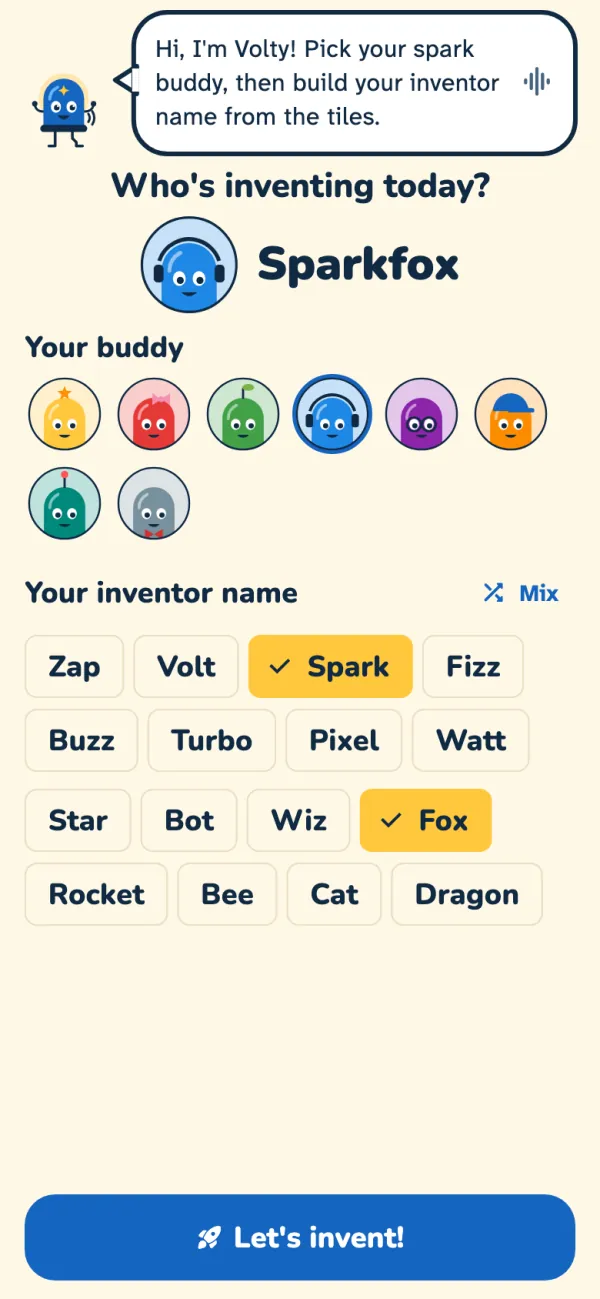
Make it yours
Every inventor needs a buddy and a great name. Children make the lab their own, without ever typing a real name.
- Pick a spark buddyEight cheerful buddies to start with, and a few more to find in the shop.
- Build an inventor nameFrom word tiles like “Spark” and “Fox”, so it is never a real name. Volty greets every name in his own voice.
- Earn SparksSpend them on stickers, buddies, colourful lights and wire colours.
- The WorkshopA free space to build anything you like, with no lesson and no goal.
Made for children, and their parents
No ads, no accounts, no tracking. Just a lab.
We collect nothing
No accounts, ads, analytics or tracking. ElektroKid never asks for names, email addresses or photos, and contains no third-party software that does.
Fully offline
The app never connects to the internet. On Android it does not even ask for the network permission. Progress stays on the device.
A parental gate
Settings, the privacy policy, resetting progress and purchases all sit behind a question only a grown-up can answer.
Free to try
5 lessons are free, with the breadboard tutorial, the Workshop and the practice board.
One purchase, no subscription
The full lab opens every lesson and part, and every lesson still to come. Children never see a price or a “buy” button.
Made for every child
English and German, screen-reader support, large text and reduced motion.
Stars, badges, saved circuits, the buddy and the name: everything stays on the device. We collect nothing.
Read the privacy policy
Questions from parents
Which ages is ElektroKid for?
For children from about 6 to 13 and up. Explorer (6–8) uses big snap-in pieces and simple words, Engineer (9–12) a real breadboard with volts, ohms and milliamps, and Master (13+) signals, the oscilloscope and radios.
Does it need the internet?
No, never. ElektroKid works fully offline. Volty's voice and the radio's music are recordings stored inside the app.
What is free, and what does the full lab add?
Five lessons are free (Explorer 1 to 4 and Engineer 1), together with the breadboard tutorial, the Workshop and the practice board. The full lab is a single purchase through the App Store or Google Play. It opens every lesson and part, and every lesson still to come. The price is shown in the store, and there is no subscription.
Only a grown-up can buy, behind the parental gate.
Do we need an electronics kit?
No. Everything is built on screen. The parts are real ones, such as the 555 timer, the LM386 amplifier and a germanium diode, so what children learn carries over to a real kit later. When you want to, the printable “Build it for real” cards show how to build each circuit with real parts, together with a grown-up.
Can brothers and sisters share one device?
Yes. Up to four children can each have their own buddy, name and progress on one device. Everything stays on that device.
Which devices does it run on?
iPhone and iPad with iOS 15 or later, and Android phones and tablets with Android 7.0 or later.
Which languages are there?
English and German, including Volty's recorded voice.
Something isn't working. How do we tell you?
The app collects nothing, so we only hear about a problem when you tell us. In the grown-ups area, Help and feedback shows a short report in full, with no names and no progress, and you send it from your own mail app. See Help and feedback.
What happens to my child's data?
Nothing leaves the device. Progress is stored only inside the app, is not included in cloud or computer backups and is deleted with the app. The privacy policy has the details.
Ready to make a bulb glow?
Try the first lessons for free. Volty is waiting in the lab.
ElektroKid is a simulation for learning and play. Build real circuits only with a grown-up and with batteries, never with mains electricity. Read our safety and accuracy note.